What is Icons8 Background Remover?
This Icons8 web tool uses AI to separate an image subject from its background. Uses include product shots, logos, illustrations and portraits, with options for transparent, solid-colour or replacement photo backgrounds.
From upload to download
Upload an image or batch, allow processing and inspect the result before choosing a background. A displayed batch file limit does not mean every image in that batch is processed free. Test a sample before preparing a whole library.
Inspecting the cutout
Check hair, transparent edges, lettering and fine details, particularly when subject and background colours are similar. Some results may need manual correction elsewhere. Keep originals and inspect cutouts against light and dark backgrounds to reveal halos or missing areas.
Demo and pricing
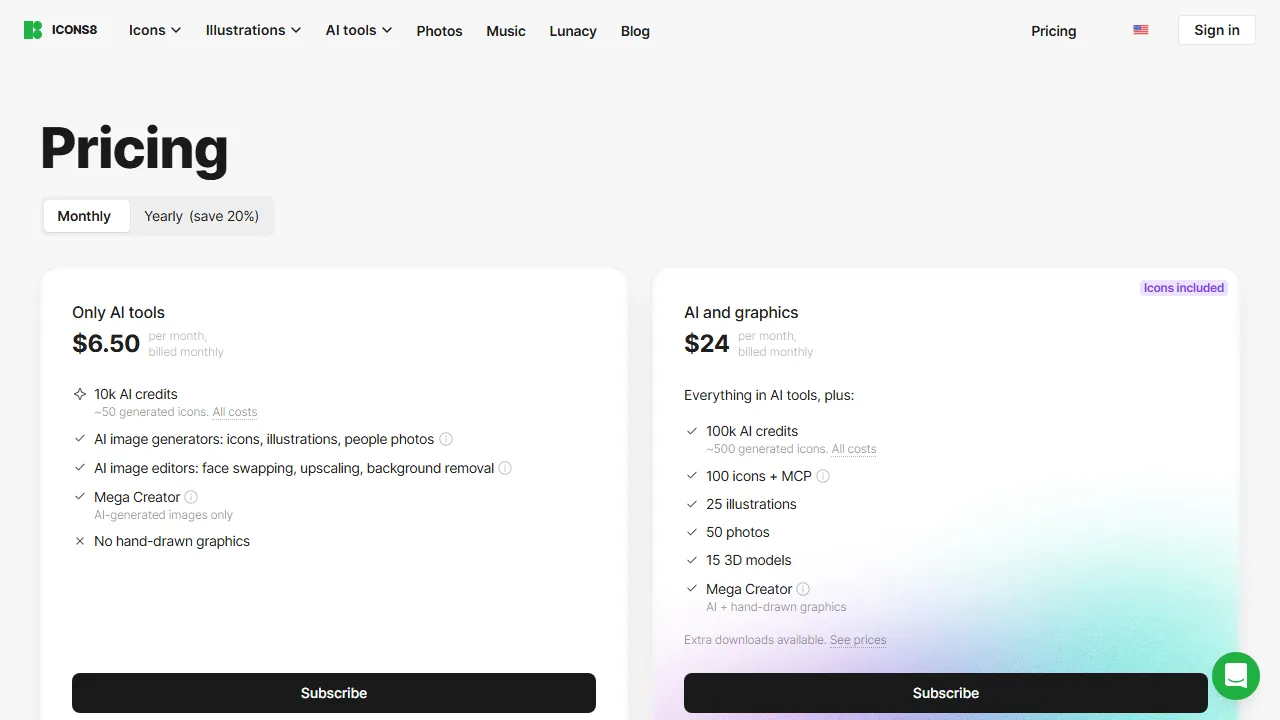
The service advertises three demo removals followed by paid packages or subscriptions. Review allowances, renewal and any unlimited-use conditions before payment; do not assume an ongoing free plan. An official API link supports integration, with its costs and terms checked separately.
Choosing a payment option
The three-image demo is useful for comparing easy product shots with harder portraits before purchasing. Icons8 offers prepaid processing and subscriptions, so choose around the number of images you actually need rather than the upload capacity. Confirm the billing period and current price on the vendor page: monthly and annual offers are displayed together. Background removal does not itself increase image dimensions or repair poor source quality.