What is PromptFolder’s Midjourney helper?
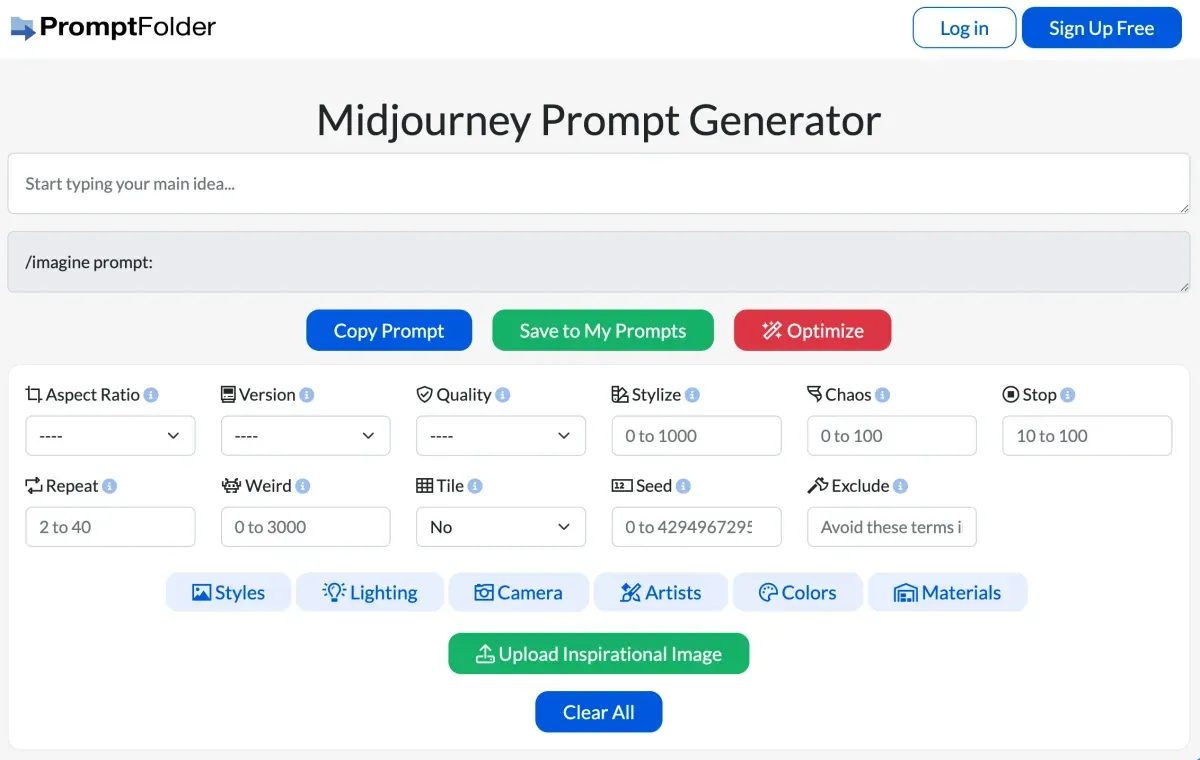
This interface builds a text prompt for Midjourney and is reached from the former Noonshot address. It displays controls such as aspect ratio, version, quality and style, then lets users copy the prompt. Its role is organizing a description and settings; generation depends on the service and account used to run them.
Build a prompt you understand
Start with the main subject and intended visual, then add context, lighting and composition that serve the idea. Avoid combining contradictory descriptions simply because preset options exist. Keep a simple version to compare with a detailed one.
Change one setting at a time and record the prompt and actual result from the generation service. This helps distinguish the effect of wording, ratio and style rather than repeating instructions whose success or failure you cannot explain.
Compatibility and template limits
Parameter meaning and availability can change between Midjourney versions. Check what your version accepts before relying on a stored option. A well-structured prompt also does not guarantee a particular image; allow time for selection, refinement and detail review.
Accounts and cost
Separate prompt-helper access from the cost of the generation account. Review PromptFolder’s current saving and sharing terms. Managing a general prompt library is a broader use than this specialized builder. Choose it for clearer experimentation rather than a supposed perfect formula for every image.